



A slow checkout, a confusing menu, or a form that asks too much too soon can cost more than attention. It can cost leads, revenue, and trust. That is why ui ux design is not a cosmetic layer added at the end of a project. It is a commercial decision that affects how people experience your brand, complete actions, and decide whether to come back.
For business owners and marketing leaders, the question is not whether design matters. It is whether your website or app is making it easier for people to buy, inquire, register, or engage. If the answer is unclear, your digital platform is likely underperforming.
What UI UX design actually covers
UI stands for user interface. UX stands for user experience. They are closely connected, but they solve different problems.
UI deals with the visible and interactive layer of a website or app. This includes layout, buttons, forms, menus, typography, color use, spacing, and visual hierarchy. It is the part users see and click.
UX deals with the full experience of using the platform. It covers structure, navigation logic, user flow, content clarity, page sequencing, friction points, and the effort required to complete a goal. UX is less about decoration and more about whether the experience makes sense.
A platform can look modern and still perform poorly if the journey is confusing. It can also be simple visually yet highly effective if users can move from landing page to conversion without hesitation. Strong ui ux design balances both sides. It creates a professional appearance while reducing resistance in the path to action.
Why UI UX design matters to business performance
Business decision-makers often evaluate digital projects based on launch speed, feature count, or development cost. Those factors matter, but they do not tell the full story. A website or app only creates value when people can use it easily and trust it enough to act.
Good design improves first impressions. Visitors form opinions quickly, especially when comparing several providers in the same market. A clean interface and clear structure signal credibility. That matters even more for service businesses, B2B companies, healthcare providers, education brands, and any organization where trust directly affects conversion.
It also improves conversion efficiency. If users understand what you offer, where to click, and what happens next, they are more likely to submit a form, request a quote, make a purchase, or contact your team. Small interface issues often create measurable business losses. A missing call to action, weak mobile spacing, or unclear pricing layout can reduce response rates even when traffic levels remain stable.
Retention is another factor. Winning traffic through SEO, ads, or social media costs time and budget. If users arrive and leave because the experience feels frustrating, your acquisition investment is being wasted. UX helps protect that investment by turning visits into meaningful engagement.
The difference between attractive design and effective design
Many companies ask for a website that looks premium, modern, or corporate. Those are fair expectations, but visual appeal alone does not guarantee results.
Effective design starts with user intent. Why is the visitor here? What problem are they trying to solve? What information do they need before they feel comfortable moving forward? When those questions are answered clearly, design begins to support business outcomes instead of just visual preference.
This is where trade-offs appear. A bold homepage may create impact, but if it slows load time or hides key information, it may hurt performance. A minimalist interface may look clean, but if it removes useful guidance, it can create uncertainty. The best choice depends on audience behavior, business model, and the action you want users to take.
That is why strong ui ux design is not driven only by trends. It is shaped by purpose, data, and context.
Key elements of UI UX design that influence results
Navigation is one of the biggest performance factors. If users cannot understand your site structure quickly, they will either leave or rely on search. Clear menus, logical page grouping, and consistent labeling reduce friction immediately.
Content hierarchy is equally important. Users scan before they read. Headlines, supporting copy, buttons, and visual sections need to guide attention in the right order. When everything competes for attention, nothing stands out.
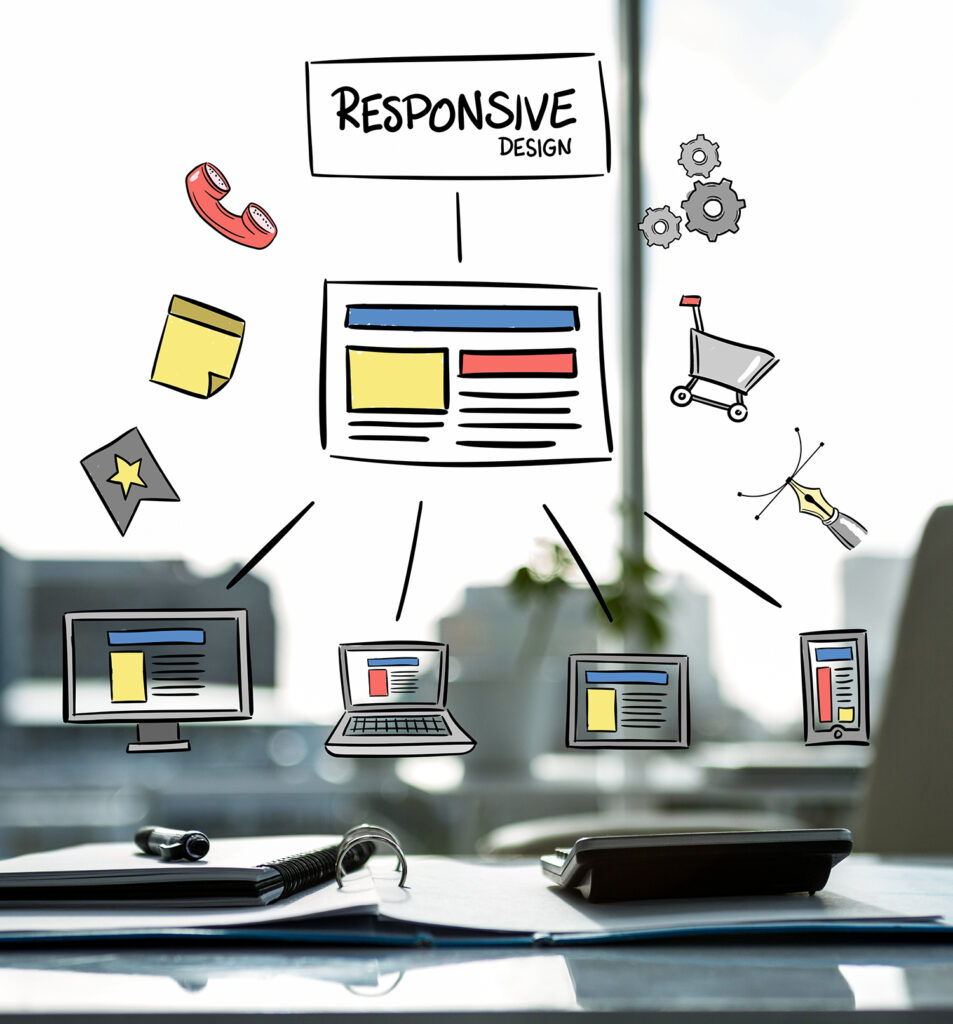
Mobile usability deserves special focus. Many businesses still approve desktop-first designs even when the majority of traffic comes from mobile devices. A layout that works on a large screen can become frustrating on a phone if forms are too long, buttons are too close together, or key content is pushed too far down.
Speed also affects experience. Users rarely separate design from performance. If a page feels slow, they experience the brand as inefficient. That is why design decisions should consider image use, page weight, and development execution from the beginning.
Trust signals matter as well. Contact details, testimonials, certifications, pricing transparency, FAQs, and secure form experiences all influence whether a user feels safe enough to act. UX is not only about movement through pages. It is also about reducing doubt.
When businesses usually realize they have a UX problem
In many cases, the warning signs appear in performance reports before anyone identifies design as the cause. Traffic may be healthy, but leads remain low. Ad campaigns may generate clicks, but landing pages fail to convert. Customers may start checkout, then abandon the process before payment.
Sometimes the issue is internal. Sales teams repeat the same clarifications to prospects because the website does not answer basic questions. Customer support receives avoidable inquiries because information is hard to find. Marketing teams struggle to launch campaigns efficiently because the site structure is rigid or inconsistent.
These are not separate operational issues. They often point back to weak UX planning.
How a practical UI UX design process should work
A reliable process starts with business goals, not visuals. Before discussing styles or layouts, the project should define what success looks like. That may be more inquiries, stronger lead quality, more completed purchases, lower bounce rates, or improved task completion.
The next step is understanding users. Different audiences need different paths. A startup investor, a retail customer, and a procurement manager do not evaluate information in the same way. Their priorities, questions, and decision speed vary. UX planning should reflect that reality.
Structure comes next. This includes sitemap planning, page priorities, user flows, and wireframes. At this stage, teams can identify friction early, before time is spent on final visuals or development.
Only then should the interface direction be refined. Colors, typography, components, imagery, and interaction states should support both brand positioning and usability. A polished UI is valuable, but it should sit on a strong UX foundation.
Testing is where assumptions are challenged. Even experienced teams cannot predict every user behavior. Real feedback often reveals gaps in clarity, weak calls to action, or unnecessary steps that seemed acceptable during internal review.
Why integrated execution matters
Many businesses split strategy, design, development, hosting, and marketing across multiple vendors. That structure can work, but it often creates delays and accountability gaps. A UX recommendation may be technically possible but ignored during development. A design may look strong but fail to support SEO or conversion goals. A marketing campaign may drive traffic to pages that were never built for campaign intent.
An integrated approach reduces that fragmentation. When planning, design, development, and performance thinking are aligned from the start, the final platform is more likely to support measurable business outcomes. This is one reason companies work with a partner such as SWOT. The goal is not only to produce a visually polished website or app, but to ensure the full digital ecosystem supports growth, usability, and long-term management.
UI UX design is never one-size-fits-all
A corporate website, an e-commerce store, a booking system, and a mobile app all require different design priorities. Even within the same industry, user expectations can vary based on brand position, product complexity, and buying cycle.
For example, a luxury brand may benefit from a slower, more immersive presentation if its audience expects a premium experience. A service-based SME, by contrast, may need direct messaging, fast-loading pages, and highly visible contact actions because users want quick reassurance and immediate next steps. Neither approach is universally right. It depends on the business objective and customer behavior.
That is why template-led thinking often falls short. Good ui ux design is tailored. It reflects how your specific customers evaluate options and how your specific business converts interest into action.
A digital platform should not force users to work hard just to understand what you offer. When design is handled properly, people feel guided, informed, and confident. That is the standard worth aiming for if you expect your website or app to do more than simply exist online.