



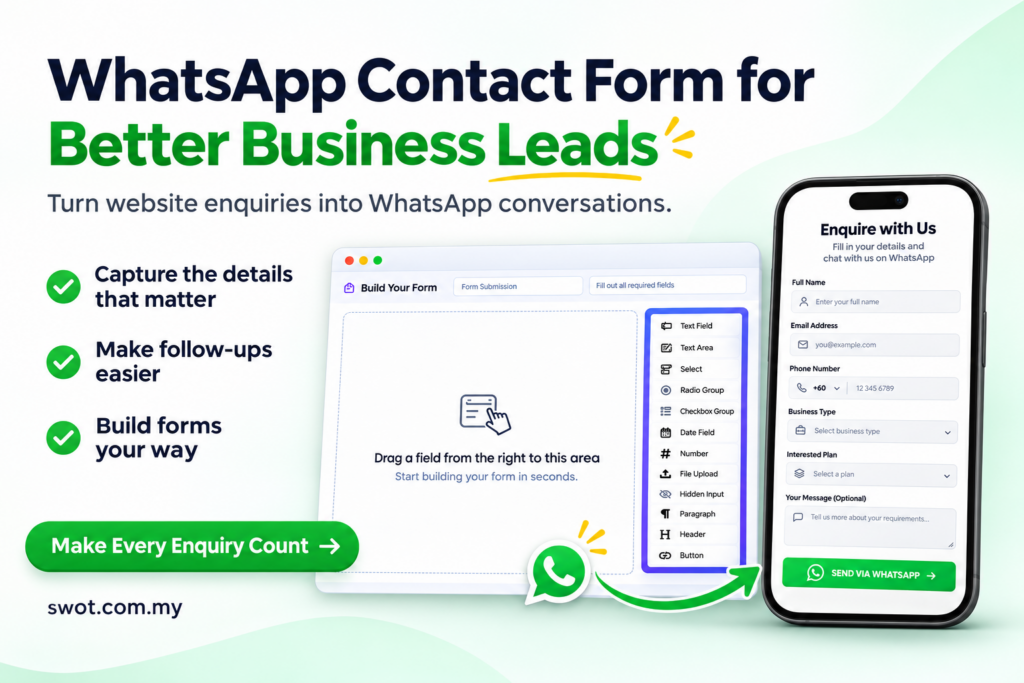
A prospect has reviewed your services, compared options, and is ready to ask a question. At that moment, a conventional contact form can feel like a delay. A WhatsApp contact form gives them a direct route to your business through a channel they already use, helping reduce friction between website interest and a sales conversation.
For service businesses, e-commerce brands, and B2B companies, the opportunity is not simply to add a WhatsApp button. The goal is to create a controlled lead-generation process that captures the right details, sends each inquiry to the right team, and supports fast, professional follow-up.
What Is a WhatsApp Contact Form?
A WhatsApp contact form is a website form that connects a visitor’s inquiry to a WhatsApp conversation. Depending on the setup, the visitor may complete a few qualifying fields before being redirected to WhatsApp with a prefilled message, or the form submission may trigger a managed workflow through the WhatsApp Business Platform.
This differs from placing a basic WhatsApp icon in the corner of a website. A floating chat button is useful for immediate questions, but it often provides little context. Your team may receive messages such as “Hi” or “How much?” without knowing which service, product, campaign, or page generated the inquiry.
A well-built form gives the conversation structure. It can collect the prospect’s name, company, email address, service requirement, budget range, location, and preferred contact time before the chat begins. That information allows sales staff to respond with relevance rather than starting from zero.
Why a WhatsApp Contact Form Can Improve Lead Quality
Speed matters when someone has shown buying intent. Email forms remain appropriate for formal requests, tenders, support cases, and longer documentation. However, many prospects expect a faster first response, especially when they are comparing agencies, requesting a quote, or deciding whether a product fits their needs.
WhatsApp makes that first exchange more immediate. When used properly, it can increase the likelihood that a visitor completes an inquiry and that your team reaches them while the need is still active. For businesses in Malaysia and Singapore, it is also a familiar communication channel across consumer, SME, and corporate audiences.
The commercial advantage comes from three areas:
- Lower response friction: Visitors do not need to wait for an email reply or monitor an unfamiliar support portal.
- Better initial context: Required form fields help your team understand the request before replying.
- Faster qualification: A short conversation can establish urgency, budget fit, decision-maker involvement, and next steps.
- Clearer attribution: When the form records page source and campaign data, marketing teams can identify which channels generate valuable conversations.
That does not mean WhatsApp should replace every contact method. Some buyers prefer email, especially for procurement, technical requirements, or confidential documents. A dependable website should offer appropriate choices while making the fastest route easy for prospects who prefer messaging.
Build the Form Around the Sales Conversation
The strongest form is not the longest one. Every additional field can reduce completion rates, so ask only for information your team will genuinely use in the first response.
For a website design or custom development inquiry, a practical form may request a name, business name, phone number, email address, service needed, estimated project budget, and a short description of requirements. An e-commerce business may instead ask about product type, order volume, platform requirements, and current website status.
The form should reflect your commercial process. If your team cannot quote responsibly without understanding project scope, include a service selector and project-details field. If your sales team needs to prioritize high-value inquiries, use budget ranges rather than requiring a visitor to disclose an exact figure.
Use a Helpful Prefilled Message
After submission, the visitor can be sent to WhatsApp with a message that summarizes their request. For example:
“Hello, I am interested in a corporate website project. My company is [Company Name], and my estimated budget is [Budget Range]. I would like to discuss [Service].”
This approach gives the sales team an immediate starting point and reassures the prospect that their details were received. Keep the message natural and editable. Visitors should be able to add context before sending it.
Avoid over-automating the first interaction. A prospect who has completed a detailed inquiry does not want to receive a generic reply asking them to repeat the same information. Your workflow should pass the submitted details to the person handling the conversation.
Route Inquiries to the Right Team
A WhatsApp contact form becomes more valuable when it supports clear internal ownership. Sending all leads to one personal phone may work for a small business, but it creates risk as inquiry volume grows. Messages can be missed, staff availability changes, and business records become scattered across individual devices.
Use a dedicated business number and define routing rules. New website projects may go to a business development team, maintenance requests to support, and campaign inquiries to marketing specialists. If you serve multiple markets or product lines, form selections can guide the lead to the appropriate queue.
For higher inquiry volumes, integration with a customer relationship management system is worth considering. The form submission should create or update a lead record, preserve source information, and assign a follow-up task. WhatsApp can handle the conversation, while your CRM remains the source of truth for pipeline status, notes, quotations, and conversion reporting.
This is where a tailored website solution has an advantage over a simple plug-in installation. The form, website analytics, advertising campaigns, CRM process, and staff notification rules should work as one lead-management system rather than as disconnected tools.
Protect Customer Data and Business Credibility
Messaging is convenient, but it does not remove your responsibility to manage personal data properly. If a form collects names, phone numbers, emails, or business requirements, explain why you collect the information and how it will be used. Link the form process to your privacy policy through clear on-page wording.
Only request data relevant to the inquiry. Do not ask for sensitive information through a general lead form, and do not encourage customers to send payment details, passwords, identification documents, or confidential records through casual chat.
Your team also needs response standards. Use a professional business profile, clear working hours, approved response templates, and escalation procedures for technical or commercial questions. A fast reply that is inaccurate or inconsistent can damage trust more than a measured reply from a well-prepared team.
If your business uses the WhatsApp Business Platform for automated notifications or campaigns, ensure customer consent and message practices align with platform rules and applicable privacy requirements. Promotional messaging should be permission-based, relevant, and limited to audiences that have agreed to hear from you.
Measure More Than Form Submissions
A form completion is not automatically a qualified lead. To assess whether your WhatsApp contact form is producing business value, track the full path from website visit to revenue opportunity.
Start with form completion rate and the percentage of visitors who actually send the prefilled WhatsApp message. Then monitor first-response time, qualified-lead rate, meeting-booking rate, quotation rate, and closed revenue. These figures reveal whether a strong submission volume is translating into commercially useful inquiries.
Traffic source matters as well. A lead from branded search may behave differently from one generated by Google Ads, social media, email marketing, or a campaign landing page. Capture campaign parameters and the page URL on submission so your marketing budget can be evaluated against qualified opportunities, not just clicks.
Review conversation quality regularly. If many visitors ask for information already available on your site, improve the relevant service page. If leads abandon the form after a budget question, test different language or move that question later in the conversation. The purpose is not to remove qualification entirely, but to make it proportionate to the buying decision.
When to Use a Form, a Chat Button, or Both
A WhatsApp button is best for simple, low-commitment questions: store availability, delivery timing, basic pricing, appointment changes, or product clarification. It creates the shortest possible path to a conversation.
A form is better when your service requires context before a meaningful response. Web development, branding, software projects, corporate training, financial services, and B2B solutions usually benefit from a brief qualification step.
For many businesses, the right answer is both. Use a visible WhatsApp button for immediate help and position a structured form on high-intent pages such as service pages, pricing pages, portfolio pages, and campaign landing pages. The visitor can choose the level of effort that fits their need, while your business receives better information when a project inquiry is serious.
Make the First Reply Count
The form creates the opportunity, but the first response determines whether that opportunity progresses. Acknowledge the request promptly, refer to the service or requirement the prospect selected, and offer a practical next step. That may be a discovery call, a quotation timeline, a request for a brief, or a demonstration.
SWOT approaches this type of website feature as part of a wider digital growth process: clear user experience, dependable development, campaign tracking, and a lead-handling workflow that supports commercial follow-through. The best result is not more messages for your team to manage. It is more qualified conversations that move confidently toward a decision.
A WhatsApp contact form earns its place on a business website when it respects the visitor’s time and gives your team enough context to respond with purpose. Build it around the real sales process, then make every reply feel like the start of a professional business relationship.